Tasks under control throughout their entire lifecycle
in Microsoft 365
Requests under control throughout their entire lifecycle
in Microsoft 365.
Tasks arise during meetings, in emails and chats, from documents, or as part of business agendas and projects. However, it is often unclear who they have been assigned to, when they are due, what they relate to, or what their current status is.
- Some tasks are completed late.
- Others are overlooked entirely.
- Information remains scattered across different tools.
- As a result, managers struggle to gain a clear overview of the actual work status across teams, projects, and business agendas.
The result: wasted time, delayed deliverables, more complex work coordination, and reduced team efficiency.

TMS in MMS is more than just a task list.
It connects tasks with documents, requests, projects, processes, and other business agendas. Each task has clear context, ownership, a deadline, and defined dependencies, and can automatically trigger the next workflow step or other activities. This extends Microsoft 365 with comprehensive task and dependency management capabilities.

Everything you need to manage tasks
in one system.

Clear task assignment.
Each task has an assignee, requester, or accountable person, as well as a clearly defined plan from assignment to completion.

Deadlines and priorities
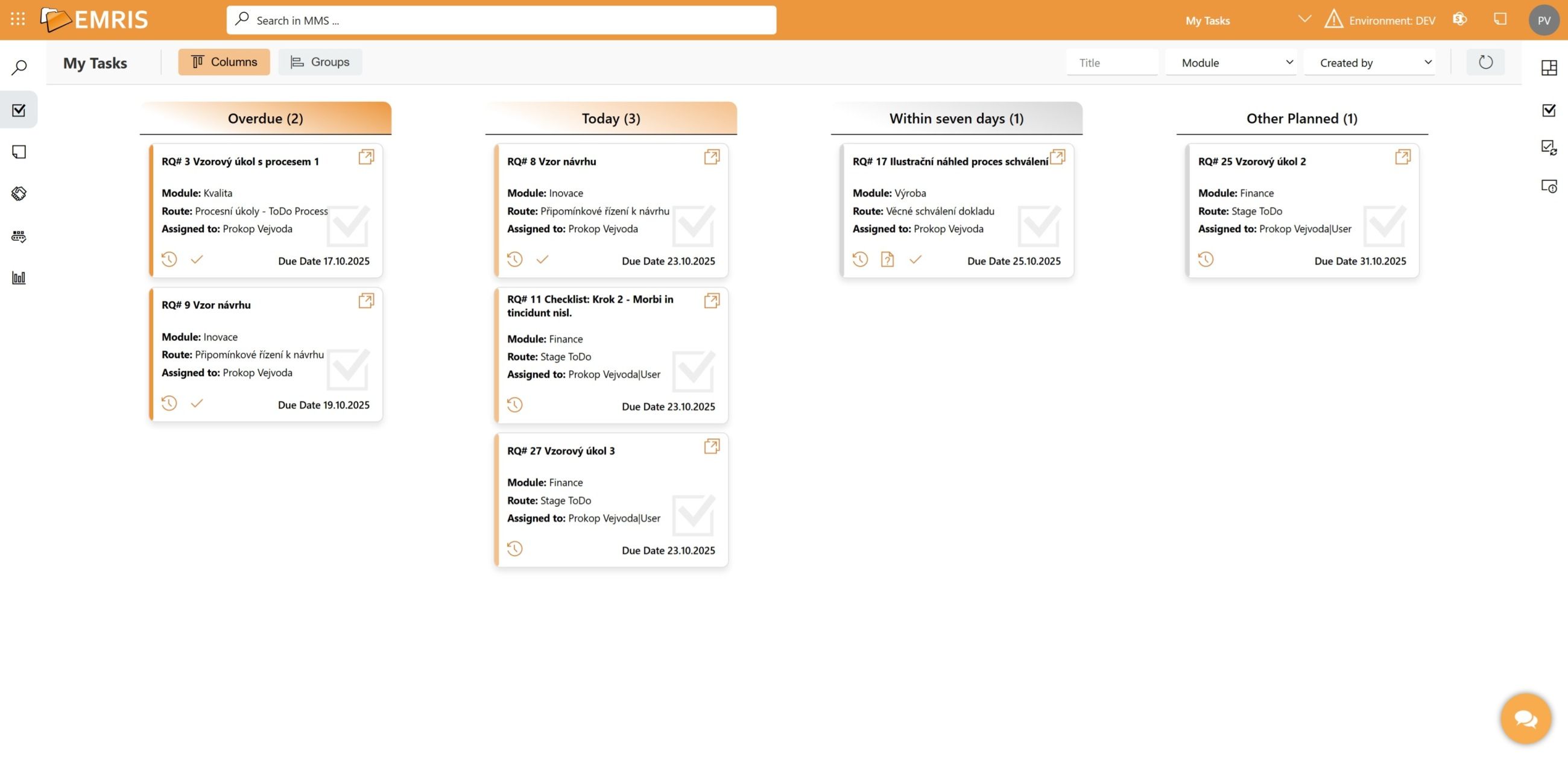
Keep deadlines, priorities, and the entire task progress under control, including change history, attachments, checklists, and dependencies between tasks.

Progress tracking
Track operational, project, and workflow tasks in one place, schedule meetings, and maintain an overview of the work of both teams and individuals.

Collaboration and coordination
Share information, comments, and attachments in one place, and coordinate team activities without spending time searching through past communication.
Tasks connected to documents and business agendas.
All tasks are clearly organized in one place. You always know who is working on them, what stage they are at, when they are due, and what they are connected to.
- Clear task management in one place.
- Clearly defined roles and responsibilities.
- An overview of deadlines, priorities, and completion status through visually differentiated tasks, multiple view types, and a pipeline showing task progress.
- Collaboration through targeted comments, attachments, and checklists.
- A clear history of changes and dependencies between tasks.
- Integration of tasks with documents, business agendas, and processes.
Tasks are more than just lists.
They are part of business
agendas in MMS.
Tasks connected to documents, business agendas, and processes.
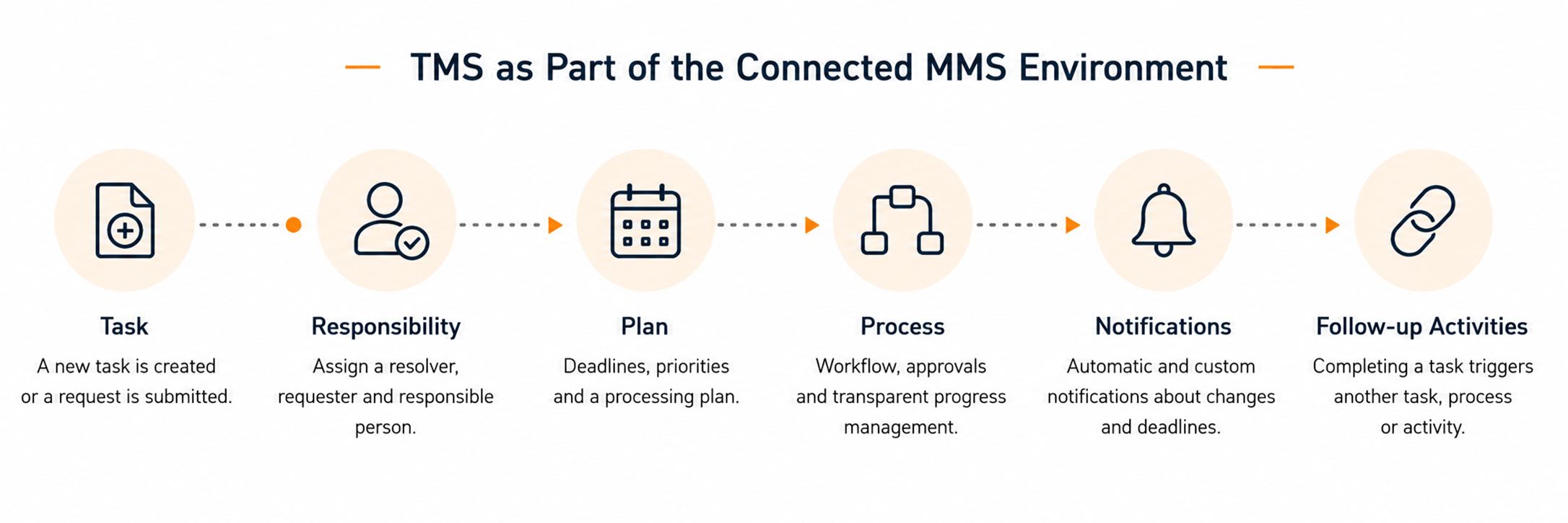
Tasks within an organization do not arise in isolation. They are linked to documents, requests, projects, approvals, and other business agendas.
TMS is part of MMS, which extends Microsoft 365 with a unified environment for managing tasks, documents, requests, data, and processes. This gives each task its own context, relationships, and history, while allowing it to automatically proceed to the next workflow step or trigger another activity.
Completing a task can seamlessly lead to further activities, trigger an approval process, notify the responsible people, or initiate the next step in a business process.

MMS – a platform that extends Microsoft 365.
More than just a place for tasks. An environment that connects tasks with business agendas and day-to-day processes.
Would you like to keep tasks, deadlines, and responsibilities under control?
Schedule a short TMS demo.
We will show you how to manage tasks, document versions, approvals, and employee acknowledgement in a single environment.


