Business Agenda Management
in Microsoft 365 (MMS)
Module Management System
One place to manage business and project agendas
Module Management System (MMS) brings data, documents, requests, and responsibilities together in one connected environment, creating a shared operational context across Microsoft 365 for the entire organization. It helps organizations save a significant amount of time in day-to-day agenda and process management.


Navigation
Create business applications for recording and managing agendas.

SMOOTH START

MODULES

AI CAPABILITIES

PLANS

CAPABILITIES

CONTACT
One platform, tailored to unique business needs
A modular platform shaped around your processes, roles, and the way your organization works.
Z chaosu v agendách k přehlednému řízení v Microsoft 365

What does MMS help with?
-
Removes the limitations of fragmented work across Microsoft 365
-
Brings structure and context into everyday work
-
Creates a unified management layer across tools
-
Gives management real-time visibility into work status
-
Creates the right foundation for practical AI use
-
Supports growth without forcing costly system rebuilds
It extends Microsoft 365 with the missing layer for managing agendas, ownership, and related processes, while also serving as an application platform.
Common scenarios MMS solves

Departmental and operational agendas
Teams work across disconnected tools, while requests move through emails and files with no clear status or ownership.MMS brings departmental agendas together into one connected and transparent system.

Projects, requests, and tasks
Organizations often lose visibility into project status, dependencies, and change requests when they are handled separately. MMS provides one place to submit, approve, and track them, including their relationships and dependencies.

Contract and HR agendas
Contract documentation, controlled documents, and HR processes all require clear control over requests, documents, workflows, and deadlines. MMS ensures these agendas move through one structured and managed system.
It connects requests, documents, tasks, and decisions into complete business agendas and projects instead of isolated records.
How MMS connects work in one system
A place where work stops falling apart across tools.
MMS unifies requests, documents, and tasks into one management system built around ownership and responsibility.Everything has a clear status, owner, and next step, without duplicate tracking or email chaos.
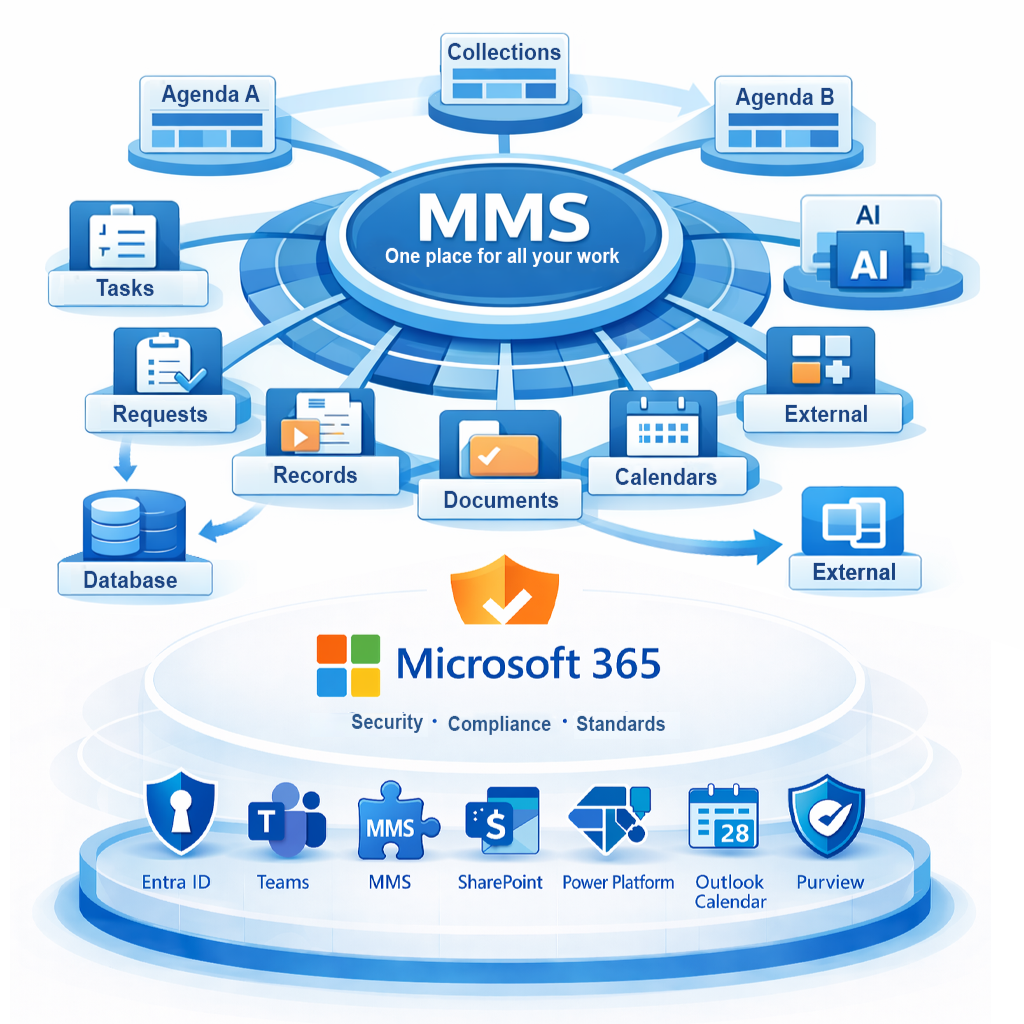
MMS connects:
- requests and processes
- documents
- tasks
The result:
- no lost requests
- no duplicate tracking
- clear ownership
Low-code tools solve individual app needs. MMS is designed to support company-wide operational management.
Business applications that fit the way your teams work
MMS makes it possible to build tracking and process applications without unnecessary development effort.
Applications are naturally connected to agendas and projects, while respecting defined roles and workflows.
MMS enables:
-
tracking and process applications
-
roles, master data, and workflows
-
review and approval flows
Result:
-
applications without email-driven chaos
-
a consistent way of working across the organization
-
system expansion exactly where it delivers value
Low-code tools solve individual app needs. MMS is designed to support company-wide operational management.
Project management in the real context of everyday work
In MMS, projects are not isolated plans, but a workspace for coordinating real work.
They bring together tasks, documents, and approvals in one role-based, process-driven overview.
The project layer connects:
-
planning and live operational data
-
tasks, documents, and changes
-
project teams and management
Result:
-
visibility without manual reporting
-
managed change instead of chaos
-
projects under control at every stage
Low-code tools solve individual app needs. MMS is designed to support company-wide operational management.
It creates a unified work environment on top of SharePoint, Teams, and other Microsoft 365 services.
How does MMS work?
MMS is a modular web application that unifies business and project agendas in one system.
Each agenda runs as a separate module, connected within one shared environment.
Both end users and management gain visibility into processes, responsibilities, and data, including information pulled from other systems.


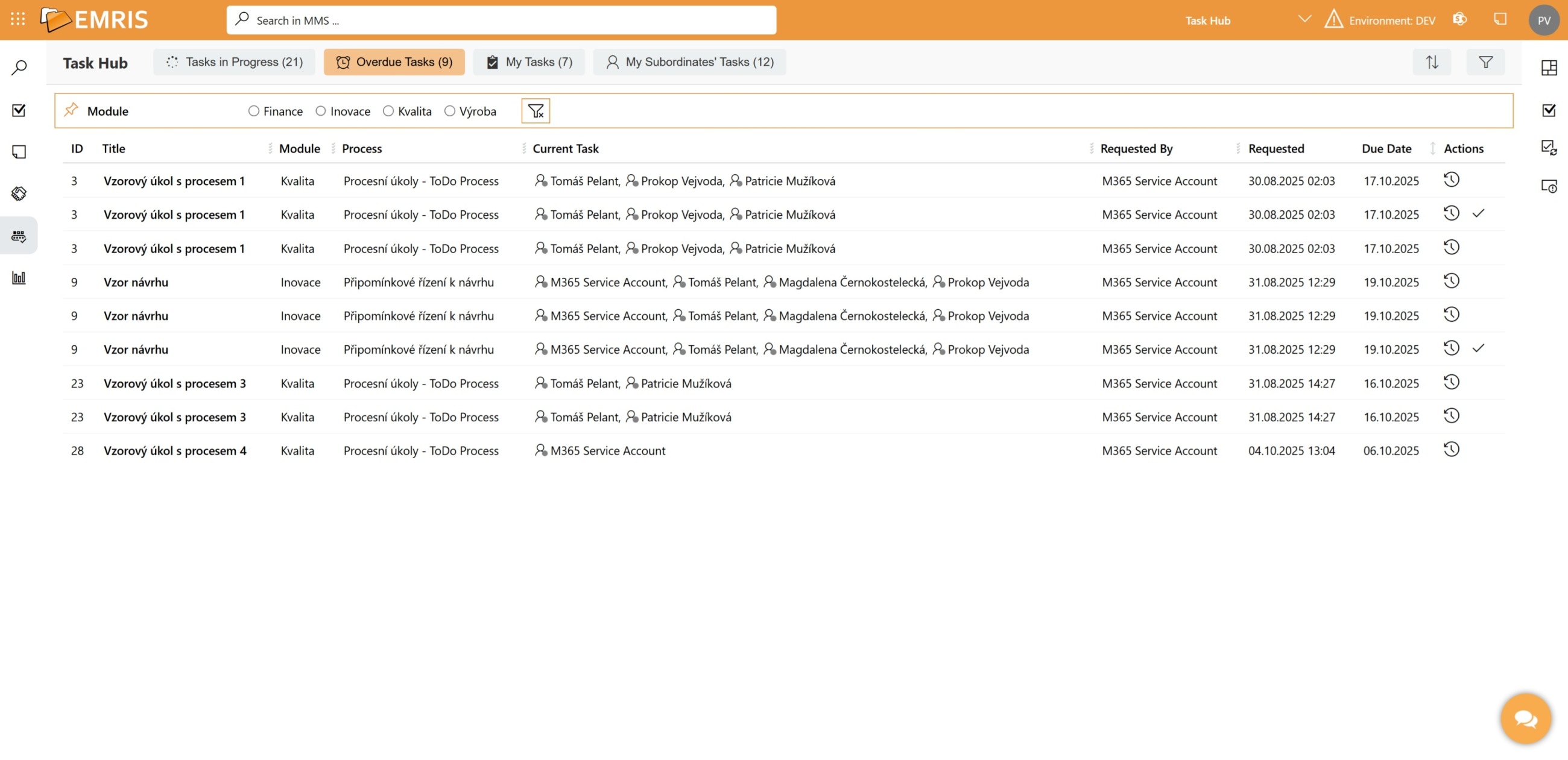
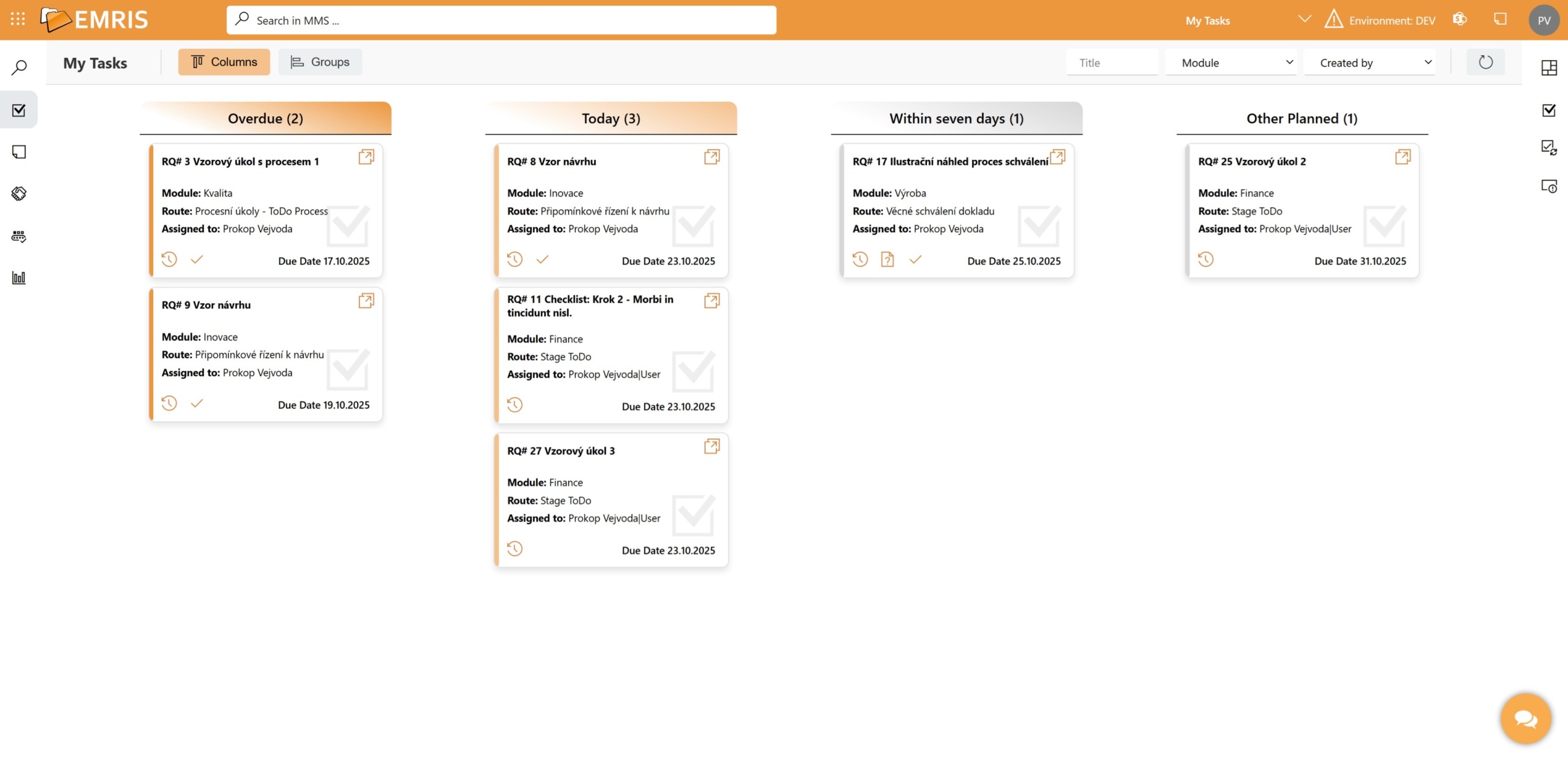
It provides real-time visibility into agenda progress, exceptions, and dependencies.
MMS Use Cases
How MMS supports real operations
Requests
Track and manage operational, IT, and project requests based on defined processes.
It supports submission, approval, and transparent status tracking.

Approvals
Clear approval workflows built around defined roles and processes.
It ensures a transparent approval process and better control over decision-making.
Tasks
Plan, track, and evaluate tasks linked to projects and business agendas. All tasks are managed in one system with clear ownership, deadlines, and full visibility.
Documents
Manage documents and contracts
with versioning and controlled circulation.
It supports preparation, review,
approval, and archiving.
It clearly defines roles, permissions, and traceability in line with security and compliance requirements.
Collections
Custom views across data from multiple modules. They make it easy to group related records by agenda or project without complex searching, giving users the context they need for management and decision-making within their permissions.
Role-Based Pages
Configurable role-based dashboards that show responsibilities, work in progress, approvals, and exceptions across MMS. They are accessible from anywhere, allowing users to work in their own context rather than navigating system structure.


Smarter Work with Data
MMS uses an aggregation layer and AI to help users quickly find the right information and stay in control of data across agendas.
- Fast search across documents, requests, and tasks\
- Related information brought together in one place
- Smarter access to data without manual searching
Structured context makes it possible to deploy AI assistants where they truly support work and decision-making.
Why MMS?
One solution that grows with your business
- One place for all agendas and projects
- Connects cloud and on-premises environments
- Natively aligned with Microsoft 365
- Available for cloud and on-premises deployment
- Easy integration with other systems
- Smarter information workflows powered by AI

It extends your existing environment step by step, without the need for costly and risky migrations.
What’s Behind MMS — Explained and Demonstrated
Discover MMS from different perspectives
A Message from the Director
MMS in Practice and in Context
What do our customers say?
Try MMS in Practice
Get access to a live demo and see
how MMS simplifies work with requests, documents, and tasks.