Business agendas under control
in Microsoft 365
Similar activities and processes. Why do we manage them differently every time?
Similar activities within an organization are handled across different business agendas, projects, and teams, often using different procedures and tools. Over time, information becomes fragmented across individual agendas, and management loses sight of how they are actually connected.
- Individual business agendas use different procedures and tools.
- Information is scattered across emails, spreadsheets, SharePoint, and applications.
- Roles are often similar, but the rules, responsibilities, and ways of working differ across individual agendas.
- Management struggles to gain a unified overview across all business agendas.
The result? Duplicated work, inconsistent procedures, complex information sharing, and difficulty managing the organization as a whole.

MMS is more than just a register of business agendas.
It connects documents, requests, tasks, projects, workflows, and other business agendas within a unified workspace in Microsoft 365. Each agenda retains its own rules and processes while sharing data, responsibilities, and relationships with other areas of the organization.

Different business agendas.
One unified workspace.
One unified workspace.
Business agendas may differ, but they share the same workspace, user interface, and common working principles.

Shared principles.
Tasks, documents, workflows, roles, and notifications do not need to be redesigned and managed separately for each business agenda.

Seamless integration.
Track operational, project, and workflow tasks in one place, schedule meetings, and maintain an overview of the work of both teams and individuals.
Flexibility and scalability.
Share information, comments, and attachments in one place, and coordinate team activities without spending time searching through past communication.
MMS harmonizes business agendas.
MMS harmonizes business agendas through a shared workspace, common principles, and seamless connections. It creates synergies where they deliver real value while respecting the autonomy of individual agendas, their processes, and responsibilities.
A shared workspace makes it possible to share information, documents, requests, and tasks across business agendas where it makes sense. Shared dashboards, collections, and overviews can be created across individual agendas, while each agenda can also remain a separate workspace.
- Separate or shared workspaces based on the needs of individual business agendas.
- Consistent roles, permissions, and responsibilities across the organization.
- Shared or separate documents, requests, tasks, and projects.
- Workflows and approval processes tailored to individual business agendas.
- Shared dashboards, collections, and overviews across multiple agendas.
- Automated notifications and reminders across processes.
- A complete history of changes and relationships, including an audit trail.
- Unified search and navigation across the entire organization.
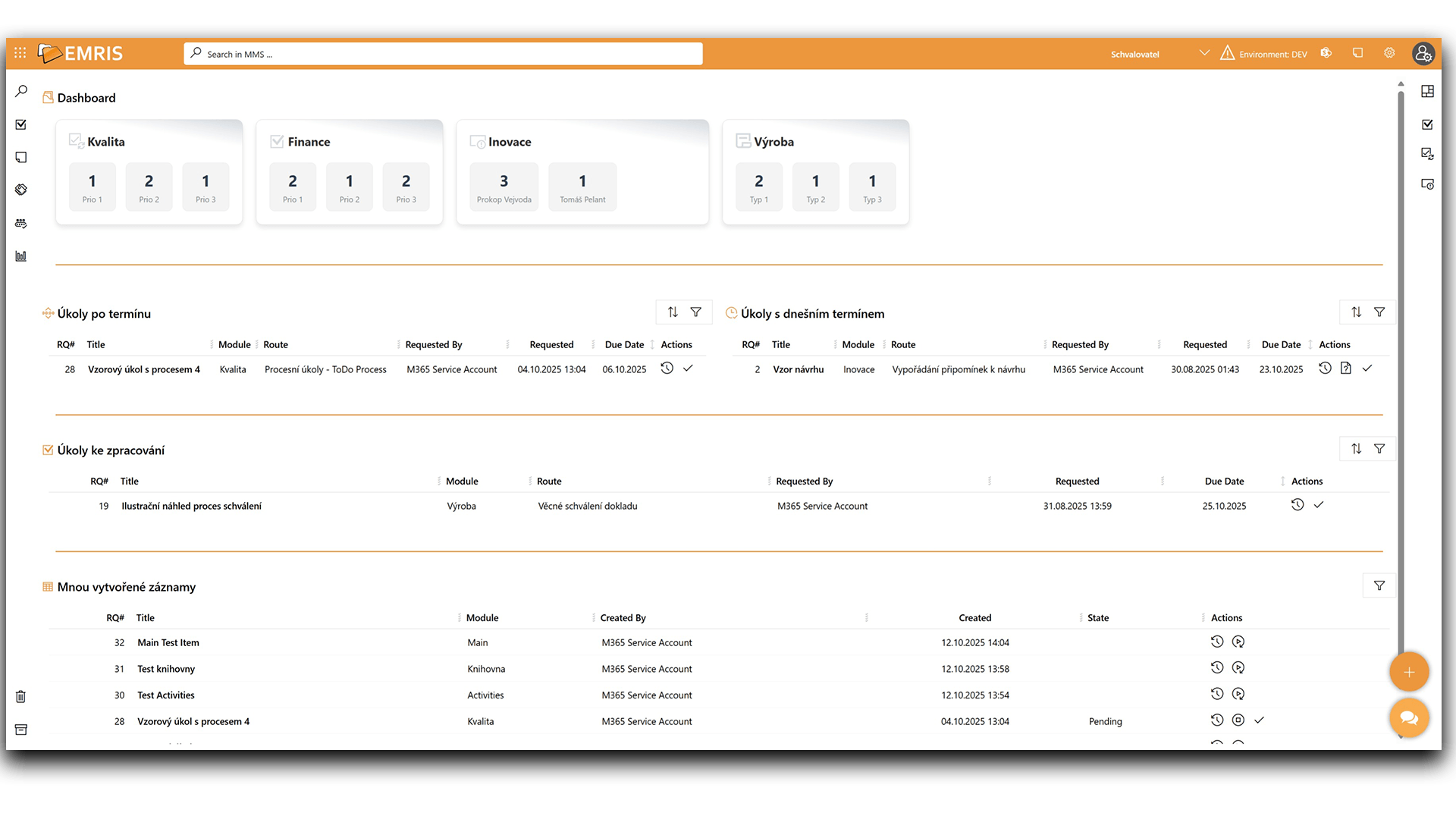
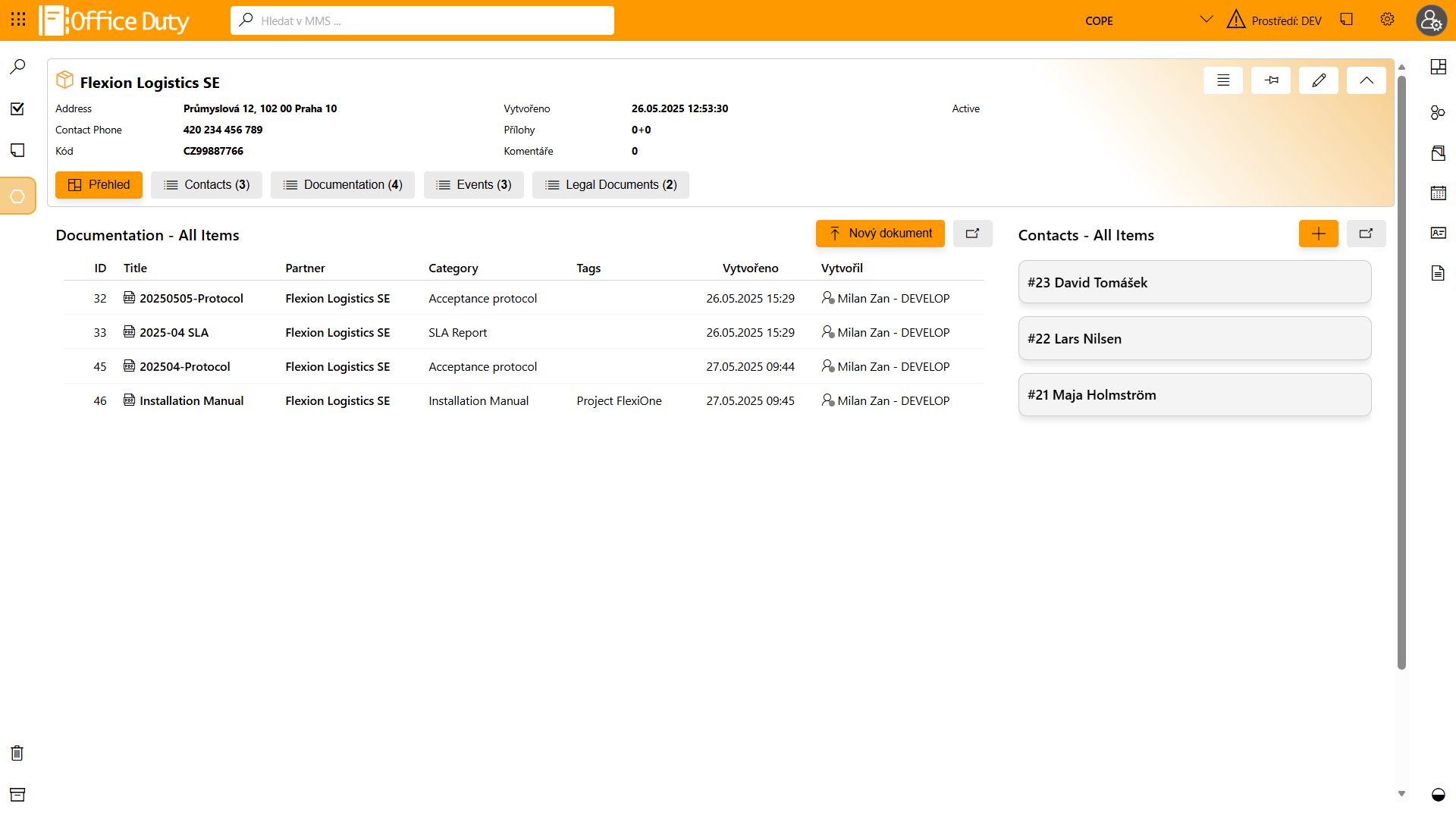

Business agendas connected within a single MMS workspace.
The MMS platform connects more than just individual business agendas.
Business agendas are not isolated applications. They share documents, requests, tasks, workflows, and other information, creating a unified workspace built on Microsoft 365.
Within MMS, a business agenda is more than just a register. It is a workspace for a specific area of the organization, bringing together documents, requests, tasks, workflows, responsibilities, and overviews within a single controlled environment.

MMS – A Platform That Extends Microsoft 365
Explore MMS from different perspectives.
The core functional areas of the MMS platform.
- DMS – Document Management
- TMS – Task Management
- RMS – Request Management
- AMS – Business Agenda Management
- Workflows and approvals
- Search
- AI features
- Aggregated overviews
It presents the main functional areas of MMS and how they are interconnected within a single workspace.
What you can work with in MMS.
- Documents
- Requests
- Tasks
- Records and registers
- Events
- Projects
- Calendar
- Data lists
Attachments
Images and media
AI-generated outputs
External data
Objects, data, and information that can be recorded, managed, and interconnected in MMS. They can have
their own roles, statuses, history, workflows, and links to other business agendas.
How MMS replaces standalone applications.
- Record-keeping applications
- Process applications
- Portals and workspaces
- Forms
- Roles and permissions
- Reference lists
- Workflows
- Dashboards
- Integrations
MMS enables the creation of record-keeping and process applications without unnecessary custom development.
The applications are seamlessly connected to business agendas and other modules, sharing common roles, workflows, and a unified security model.
Where MMS can be used.
- Sales
- Manufacturing
- Services
- Public administration
- Other areas of business
- HR and IT
- Back office
- Compliance and legal affairs
- Facilities and asset management
- Business applications
- Business agendas
- Projects
- Controlled documentation
- Business applications
- Internal services
Examples of areas where the MMS platform can be used, regardless of the organization’s size,
industry, or organizational structure.
How the MMS platform can be extended.
- New modules
- New business agendas and collections
- Forms and data structures
- Workflows
- Roles and permissions
- Views and reports
- Collections and dashboards
- AI assistants and agents
- Integrations
- External data sources
- Regular updates
- New features and AI
- Integrations
- Upgrades without losing your investment
You can develop your own business agendas independently, while regular feature packages continuously expand the
capabilities of the entire platform. MMS grows with your organization.
What the MMS platform consists of
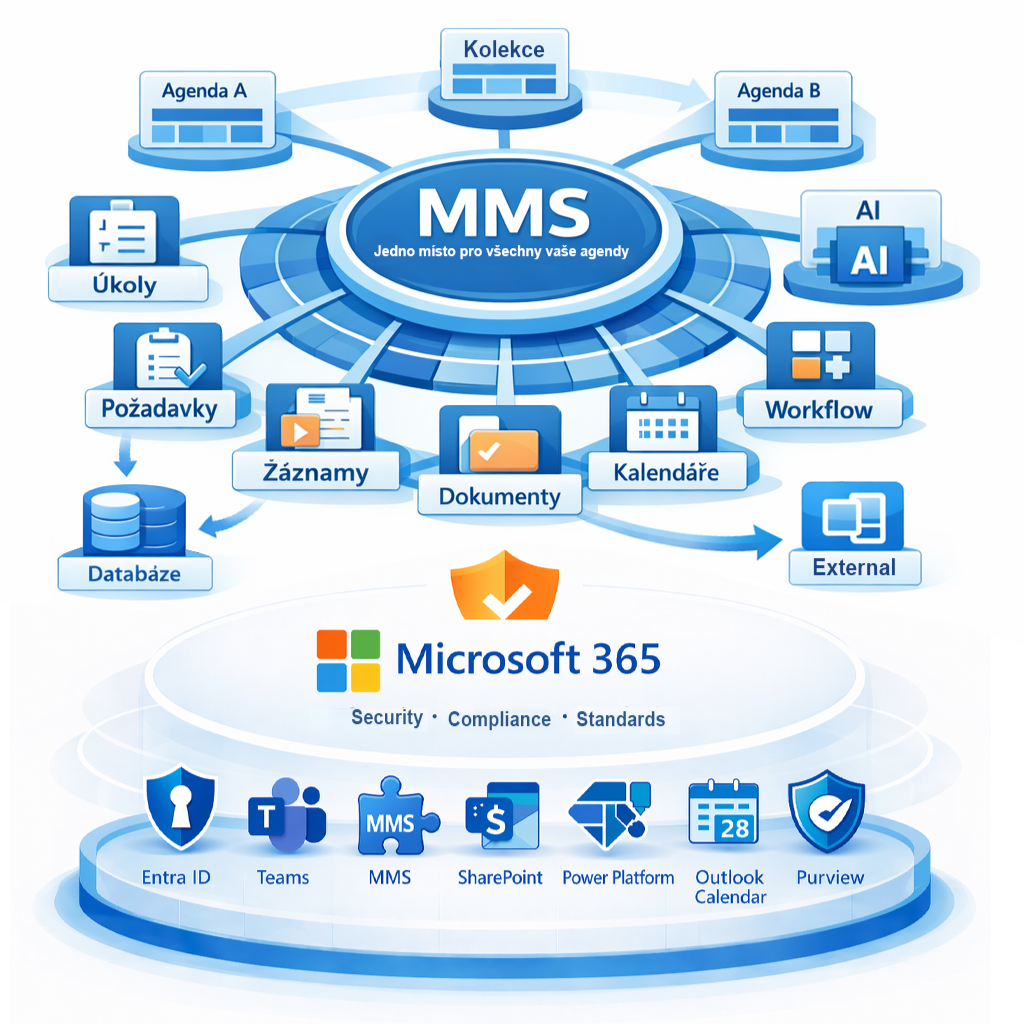
MMS does not replace Microsoft 365; it extends it with application, process, and integration layers.
A unified platform that connects business agendas and enables the creation of business applications with seamless integration into
Microsoft 365 and other systems.
Do you want to keep your business agendas truly under control?
Schedule a short MMS demo.
We will show you how to manage documents, versions, approvals, and employee acknowledgement within a single environment.


